

How to Choose the Right Platform for Growth and Long-Term Success
Building a website is one of the most critical steps in launching and scaling a business. Whether you’re an entrepreneur, small business owner, or freelancer, your website serves as your digital storefront and brand identity. Choosing the right website builder and hosting solution can significantly impact your online success, affecting your site’s performance, user experience, and ability to grow.
In this guide, we’ll break down the four most popular website builders—WordPress.com vs. WordPress.org, Wix, Squarespace, and Shopify—by comparing their pros and cons, best use cases, and alternatives. Our focus is on results-oriented decision-making, helping you build a website that aligns with your business goals and supports your long-term success.
Defining Your Website Goals: Choosing the Right Fit
Before selecting a platform, you need to define what you want from your website. The right builder depends on your specific needs, your skills, industry, and growth ambitions. Here are some key factors to consider:
Business Needs vs. Platform Capabilities
- E-commerce: Do you plan to sell products online? (Shopify, WooCommerce, Squarespace)
- Service-Based Business: Are you booking clients or offering professional services? (Wix, Squarespace, WordPress)
- Portfolio or Branding: Do you need a visually appealing website to showcase your work? (Squarespace, Wix)
- Content & SEO: Will you focus on blogging, lead generation, and organic traffic? (WordPress.org, Wix)
Why Hosting & Builder Choice Impacts Growth
Your website builder and hosting solution determine:
- Performance & Speed: Affects SEO and user experience.
- Security: Ensures data protection and uptime.
- Scalability: Allows for future growth without switching platforms.
- Ease of Use vs. Customization: Some platforms are beginner-friendly but have limitations, while others require technical skills but offer full control.
WordPress.com vs. WordPress.org: The Power of Flexibility & Control
WordPress.com vs. WordPress.org – What’s the Difference?
WordPress is the most popular content management system (CMS), but there’s often confusion between WordPress.com and WordPress.org. Here’s what you need to know:
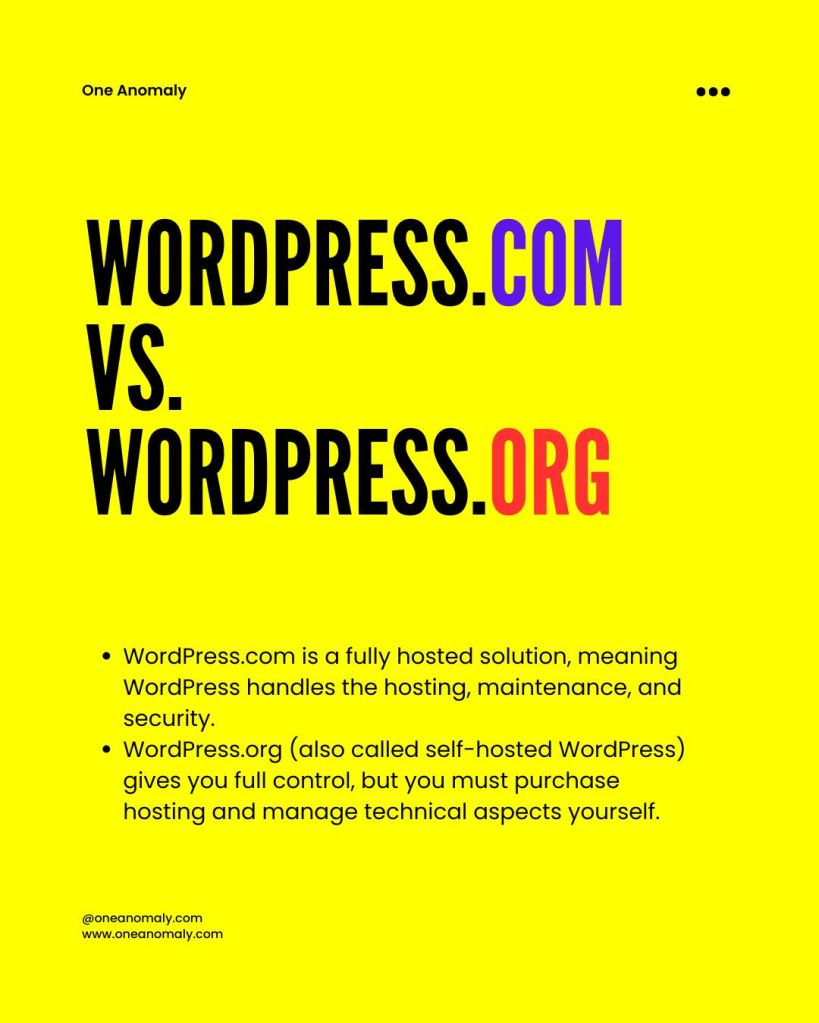
- WordPress.com is a fully hosted solution, meaning WordPress handles the hosting, maintenance, and security.
- WordPress.org (also called self-hosted WordPress) gives you full control, but you must purchase hosting and manage technical aspects yourself.
Pros & Cons of WordPress.com
✅ Pros:
- No technical setup required
- Hosting and security managed for you
- User-friendly for beginners
❌ Cons:
- Limited customization unless on high-tier plans
- Cannot install custom plugins on free/basic plans
- Higher cost for advanced features
Pros & Cons of WordPress.org
✅ Pros:
- Full control over design, functionality, and hosting
- Access to thousands of plugins for advanced features
- Best platform for SEO and long-term growth
❌ Cons:
- Requires hosting and domain purchase
- Steeper learning curve
- Ongoing maintenance needed
Best For:
Entrepreneurs looking for flexibility, scalability, and SEO power should choose WordPress.org, while beginners preferring an all-in-one solution might start with WordPress.com.
Wix: Ease of Use vs. Scalability
Overview
Wix is a drag-and-drop website builder that allows users to create stunning websites without coding. It’s an all-in-one platform, meaning it includes hosting and templates, making it a go-to choice for beginners.
Pros & Cons of Wix
✅ Pros:
- Beginner-friendly and intuitive drag-and-drop editor
- No coding required
- Built-in marketing tools and templates
❌ Cons:
- Limited customization and scalability
- Not ideal for complex SEO strategies
- Can become expensive with premium features
Best For:
Wix is great for solopreneurs, personal brands, and small businesses that want a simple, attractive website quickly.
Squarespace: Design-Driven with Business Tools
Overview
Squarespace is known for its high-end design templates and business-friendly features like appointment booking, e-commerce, and membership options.
Pros & Cons of Squarespace
✅ Pros:
- Elegant, professional design templates
- All-in-one platform with hosting and security
- E-commerce and SEO tools included
❌ Cons:
- Limited flexibility compared to WordPress
- Can be expensive for advanced business needs
- Less third-party integrations
Best For:
Squarespace is ideal for creative professionals, small business owners, and service-based businesses that prioritize aesthetics and branding.
Shopify: The Go-To for E-Commerce Domination
Overview
Shopify is the leading e-commerce platform, offering a powerful suite of tools for selling online, managing inventory, and scaling a retail business.
Pros & Cons of Shopify
✅ Pros:
- Optimized for online selling
- Built-in payment processing and secure checkout
- Scalable for small to large businesses
❌ Cons:
- Monthly subscription fees and transaction costs
- Limited blogging and content marketing capabilities
- Not ideal for service-based businesses
Best For:
Shopify is perfect for entrepreneurs focused on online sales, dropshipping, and growing e-commerce business.

Alternative Options: Exploring Other Website Builders & Hosting Solutions
While the four main platforms dominate, consider these alternatives:
- Weebly: Budget-friendly but lacks scalability.
- Webflow: Great for designers but has a steep learning curve.
- GoDaddy Website Builder: Quick setup but limited customization.
- BigCommerce: A Shopify alternative for e-commerce-focused businesses.
Key Takeaways: Choosing the Best Website Builder for Your Business
Align Your Choice with Your Growth Strategy
- WordPress.org → For full control, SEO, and scalability.
- Wix → For simple, beautiful, and user-friendly websites.
- Squarespace → For visually appealing branding and service businesses.
- Shopify → For e-commerce-first businesses.
Final Considerations
When choosing a website builder, consider: ✅ Your budget – Free vs. premium plans and hidden costs. ✅ Ease of use vs. control – Do you want a plug-and-play option or full customization? ✅ Scalability – Can it grow with your business? ✅ Marketing & SEO capabilities – Does it support content marketing and lead generation?
Get Started Today
One Anomaly offer website building services. Now that you have a clear understanding of website builders and hosting solutions, it’s time to take action. Define your business goals, choose the right platform, and contact us to start building your online presence today.
Need help optimizing your website for growth?
Disclaimer
This content is provided freely by Business and Marketing Professionals for educational purposes. Always conduct further research to choose the best website builder for your specific needs.


Leave a reply to Leveraging Social Commerce: Turning Social Media into Sales – OneAnomaly Cancel reply